
Accessing Email Volume Reporting:
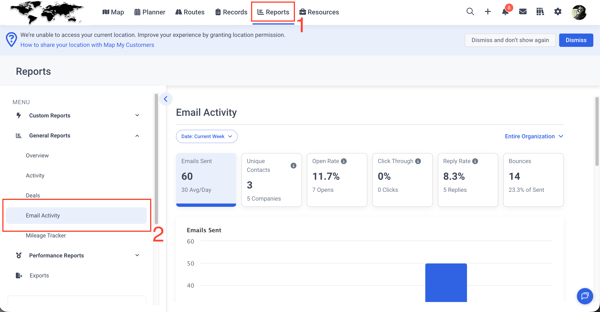
- Navigate to the Reports page
- Select Email Activity
Filtering Data
Use the date filter at the top of the page to adjust your reporting range. Available options include: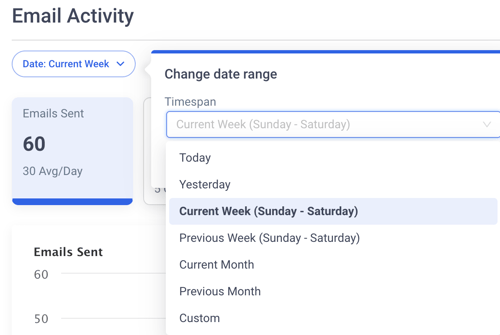
- Today
- Yesterday
- Current Week / Previous Week
- Current Month / Previous Month
- Custom date range
Data will automatically update based on your selected timeframe.
Role-Based Visibility
What you see depends on your role:
- Admins / Owners
- View organization-wide data
- Drill down by team and individual rep
- Managers
- View their own activity and their team’s performance
- Drill down to individual reps
- Reps
- View only their own email activity
Key Metrics
The reporting dashboard includes the following core metrics:

- Emails Sent
Total number of outbound emails sent within the selected date range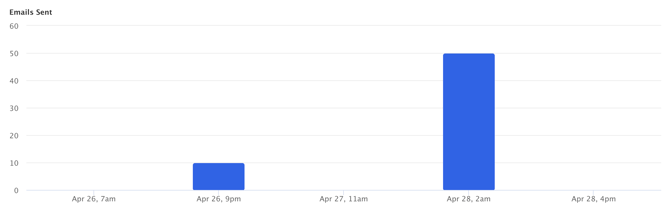
- Unique Contacts
Number of distinct contacts who received at least one email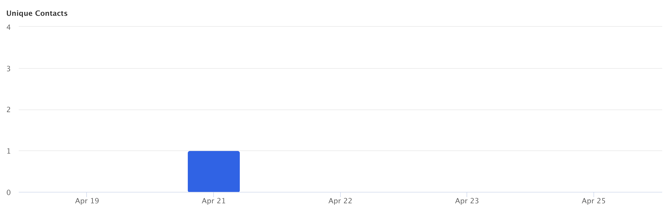
- Open Rate
Percentage of sent emails that were opened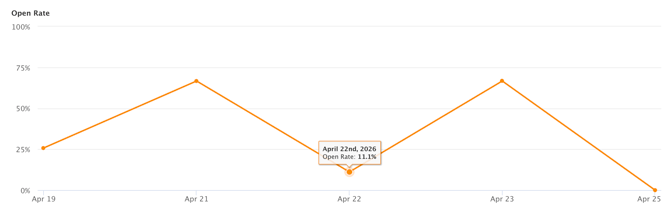
- Reply Rate
Percentage of emails that received a reply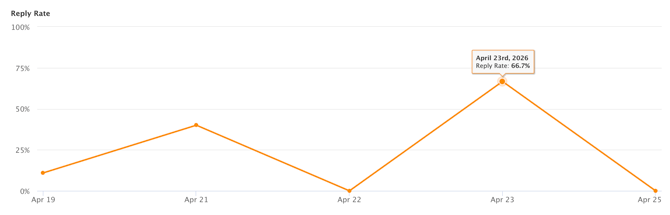
- Bounces
Number of emails that failed to deliver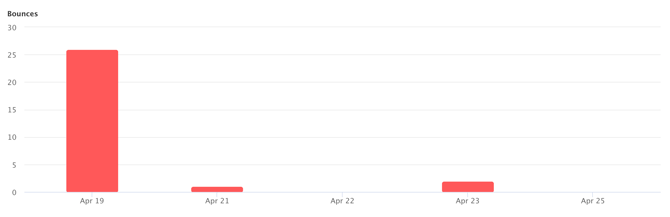
Trend Chart
The trend chart (shown above) provides a visual representation of performance over time.
- Click on any metric card to update the chart
- The chart dynamically adjusts based on:
- Selected metric
- Date range
Activity Breakdown Table
This table displays email performance by team or rep.
Features include:
- Sort by:
- Most active / Least active
- Alphabetical (A-Z, Z-A)
- View high-level performance across teams or individuals
- Drill down (based on role) to see more detailed activity
Template Performance
The Template Performance table shows how individual email templates are performing.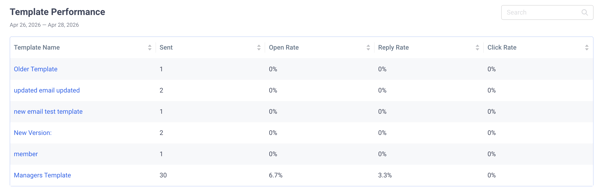
- View:
- Send volume per template
- Engagement metrics (opens, replies, etc.)
- Click a template row to:
- Open a preview of the email template

- Open a preview of the email template
- Use search and sorting to quickly find specific templates

Drill-Down Functionality
Users with higher-level permissions (Admins and Managers) can:
- Drill down from organization → team → individual rep

- Analyze how overall metrics are composed at each level
- Compare performance across teams and reps