
The Settings screen lets you manage your Map My Customers account and personalize your experience.
To access Settings:
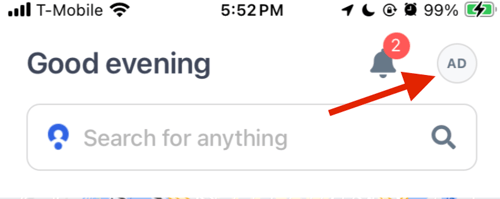
- Tap the profile icon in the right corner of the app
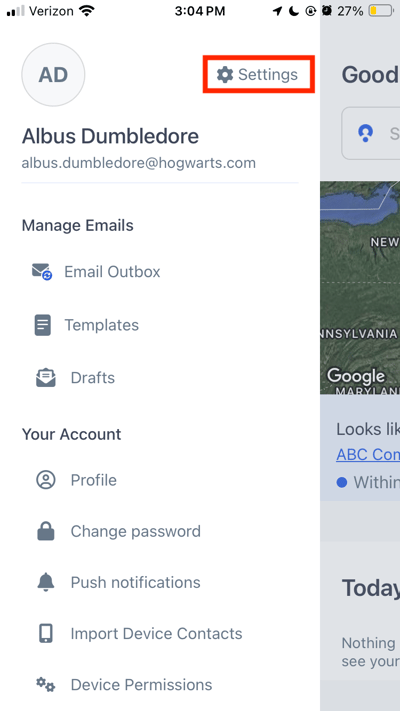
- Tap on “Settings”
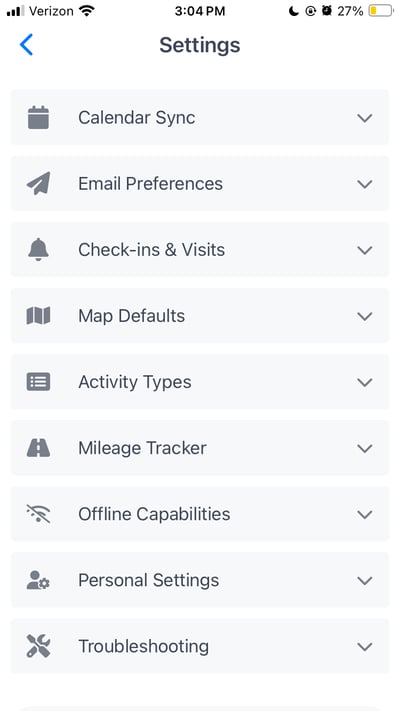
Manage your preferences for:
- Calendar Sync
- Email Preferences (Premium Feature)
- Check-ins & Visits
- Map Defaults
- Activity Types
- Mileage Tracker (Premium Feature)
- Offline Capabilities
- Personal Settings
This section explains how to:
- Manage Settings
- Set up Calendar Sync
- Set up Offline Capabilities